Your starting point for remixing ideas, creating and learning in Kive
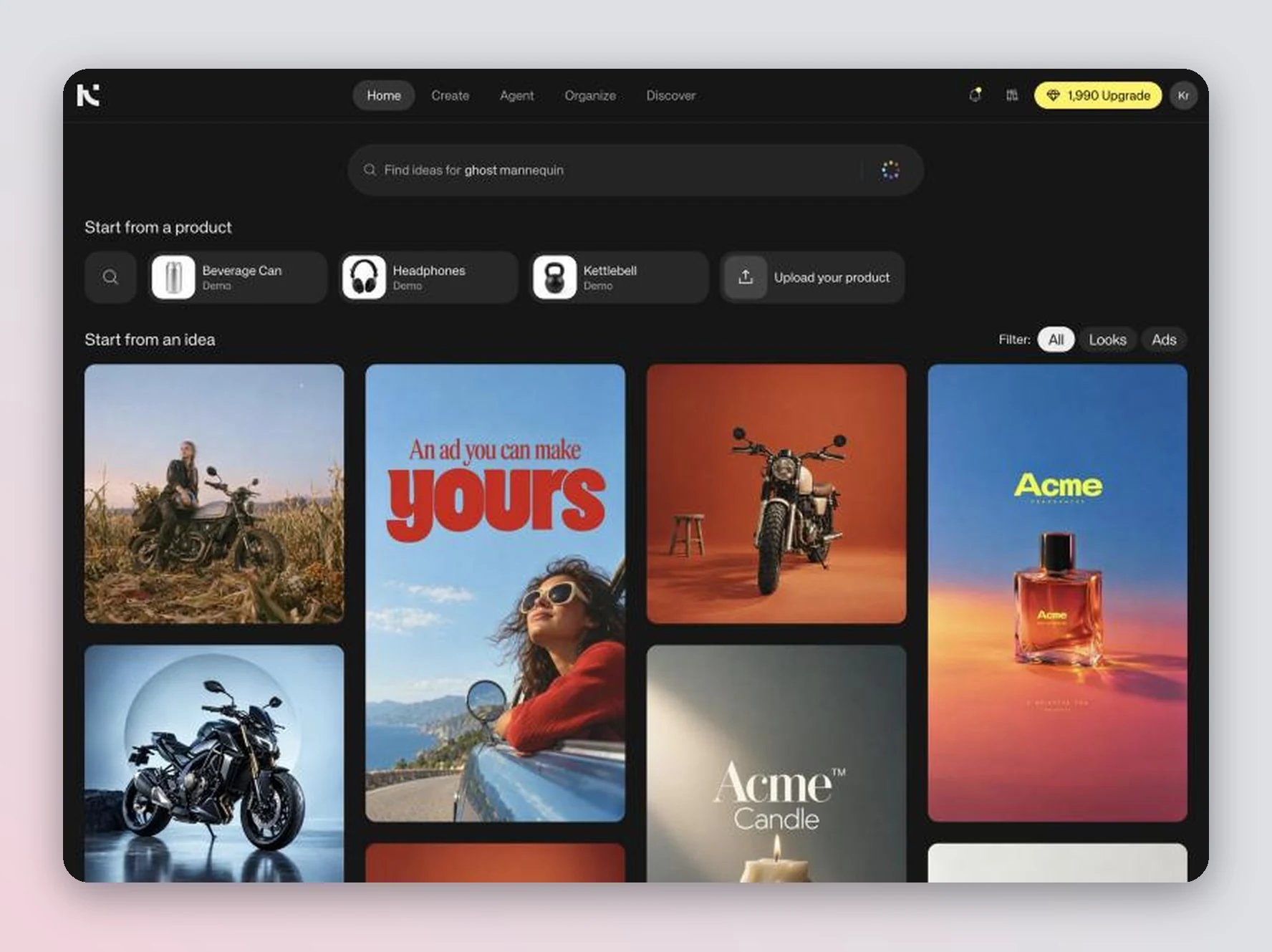
Your workspace home is Ideas: a feed of ready-made creative ideas you can remix with your own product. Use it to find a starting point, jump into Agent, and check your remaining credits in the Credits control in the header.
Ideas is rolling out to all workspaces. If your home shows Create an image, Create a video and Create a product shot buttons instead, you’re on the previous home: use those buttons or the generation bar at the bottom of the page to start creating.
Below the guides, the search bar and Start from a product row help you find ideas for what you’re making. The feed below, Start from an idea, shows ideas picked for your product categories. Use the Filter pills (All, Looks, Ads) to narrow it down.Click an idea to remix it: Swap in your product on photos, Make this ad yours on ads, or describe your own change. Each remix continues as an Agent chat. See Start from an idea for the full walkthrough.The first time you open a page in your workspace, an intro to Ideas offers a short guided tour. Click Show me to go to Ideas and take it, or Skip.
Click Learn in the top navigation to open the Learn Kive panel — short, step-by-step lessons on getting the most out of Kive. Lessons cover generating your first product image, putting your product in your own scene, generating in bulk, turning an image into a video, and finding assets with Boards. Each lesson tracks step progress, so you can stop and pick up where you left off.
Click your avatar in the top-right to open the account and workspace menu. From here you can switch between workspaces, create or join a workspace, invite teammates, and access Settings. To view billing details, go to Settings → Billing.
Tip: Start from an idea when you’re new — pick one, add your product, and Agent recreates it in that style.Tip: Verify your email to unlock downloading and team features.Tip: Monitor your credit balance via the Credits control in the header. Generations and Agent edits use credits, including ones at Draft quality. For a detailed breakdown, go to Settings → Billing.