

Before you start
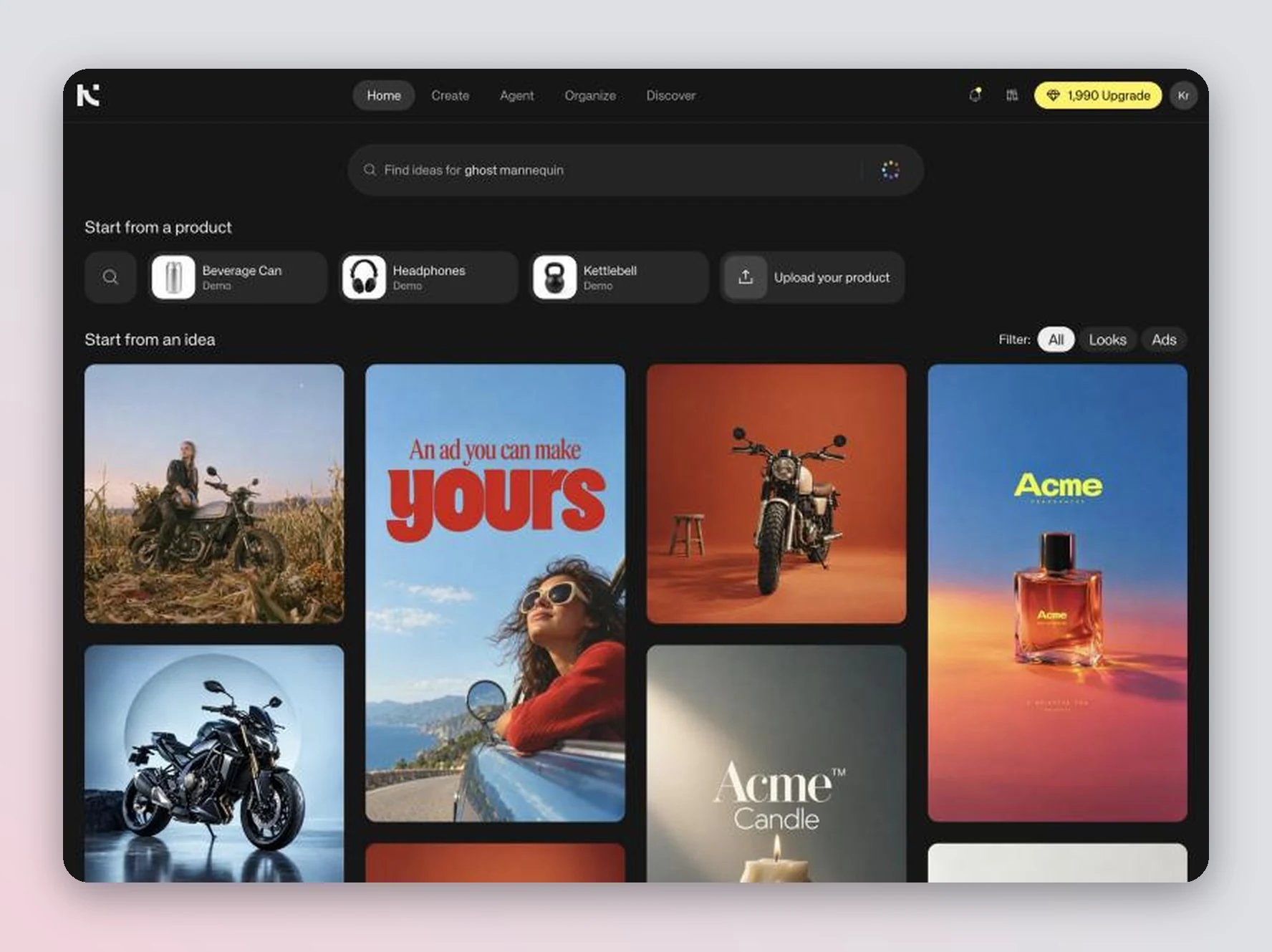
- Open your workspace. Ideas is the home page.
- Add a product to your library so you can swap it in, or upload a product photo while you remix (see Train a custom model).
- Remixes run in Agent and use credits like any other generation (see Plans and credits).
Find an idea
The page opens on Start from an idea, a feed of ideas picked for your product categories.- Filter — switch between All, Looks (clean product and fashion photos) and Ads (images with text, such as posters and social ads).
- Search — type what you want in the search bar (“Find ideas for…”) and press Enter. Click the search bar to see Ideas for you and your Recent searches.
- Search by image — drop an image onto the search bar to find ideas that look like it.
- Search by color — use the color picker in the search bar to find ideas in a color.
- Start from a product — click one of your products in the row under the search bar to see ideas that suit it. Click Upload your product to add a new one.
Remix an idea
Click an idea to open it. What you can do depends on the kind of idea.- Photos and looks
- Ads
1
Swap in your product
Click Swap in your product. Pick a product from Your products, or click Upload a product photo. The product is added to the prompt.
2
Add details (optional)
Add anything you want to change in the prompt, for example “on a snowy background”.
3
Send
Send the prompt. Agent puts your product into the image and keeps the rest of the scene.
Keep going in Agent
Each remix continues as an Agent chat, so you can refine the result with follow-up messages. For example:- “Change the headline to ‘Open late’”
- “Make the product larger and clearly visible”
- “Do two more versions with different background colors”
- “Turn this image into a video”
More ideas and bookmarks
- More ideas — scroll down in an open idea to see similar ideas. Clicking one opens it in the same panel. Your browser’s back button returns to the previous idea.
- Bookmark idea — click the bookmark on an idea to save it. Bookmarked ideas are in Organize → My ideas (see Library and boards), and you can add them to a prompt from + → Ideas in the generator (see Generate an image).
Tips
- Pick ideas in your product’s category. A product that doesn’t fit the scene, like a bag in a desk-organizer setup, gives weaker results or makes Agent ask how to place it.
- For small products such as jewelry, belts or socks, ask Agent to make the product the hero so it doesn’t get lost in the scene.
- Ads can contain placeholder brand names and prices. Ask Agent to replace them with your own text.