AI product photos for
your Shopify store
Import your products, create on-brand images, and add them straight back to Shopify.
See how it worksWhat Kive for Shopify does
Kive for Shopify is a Shopify App Store app that links a store to a Kive workspace, imports products as AI product models, and adds the generated images back to the product in Shopify.
Each imported product becomes an AI product model built from up to four of its existing images, so generated shots stay accurate to the real product. Ask Agent to find gaps in your product pages, add missing angles or create lifestyle shots across the catalog, with your preferred presets keeping everything consistent.
The results go straight back to Shopify. No downloading and re-uploading each image. The app is free to install from the Shopify App Store, and workspaces that install it start with 200 free credits.
Plans, permissions and connected stores
- Free to install from the Shopify App Store. Workspaces that install it start with 200 free credits, and generating uses credits after that.
- Starting the connection from Kive instead, in Settings → Integrations, needs a paid plan (Basic, Pro or Enterprise) and workspace admin access.
- Shopify permissions are read and write on products and files. Kive writes only when you add an image back to a product.
- Any number of stores can connect to one Kive workspace. Each store gets its own section in Organize → Products.
- Product models use up to four existing product images, so shape, label and packaging survive generation.
- Generations started from Shopify use the same workspace credits as generations started in Kive.
From your catalog to your product pages
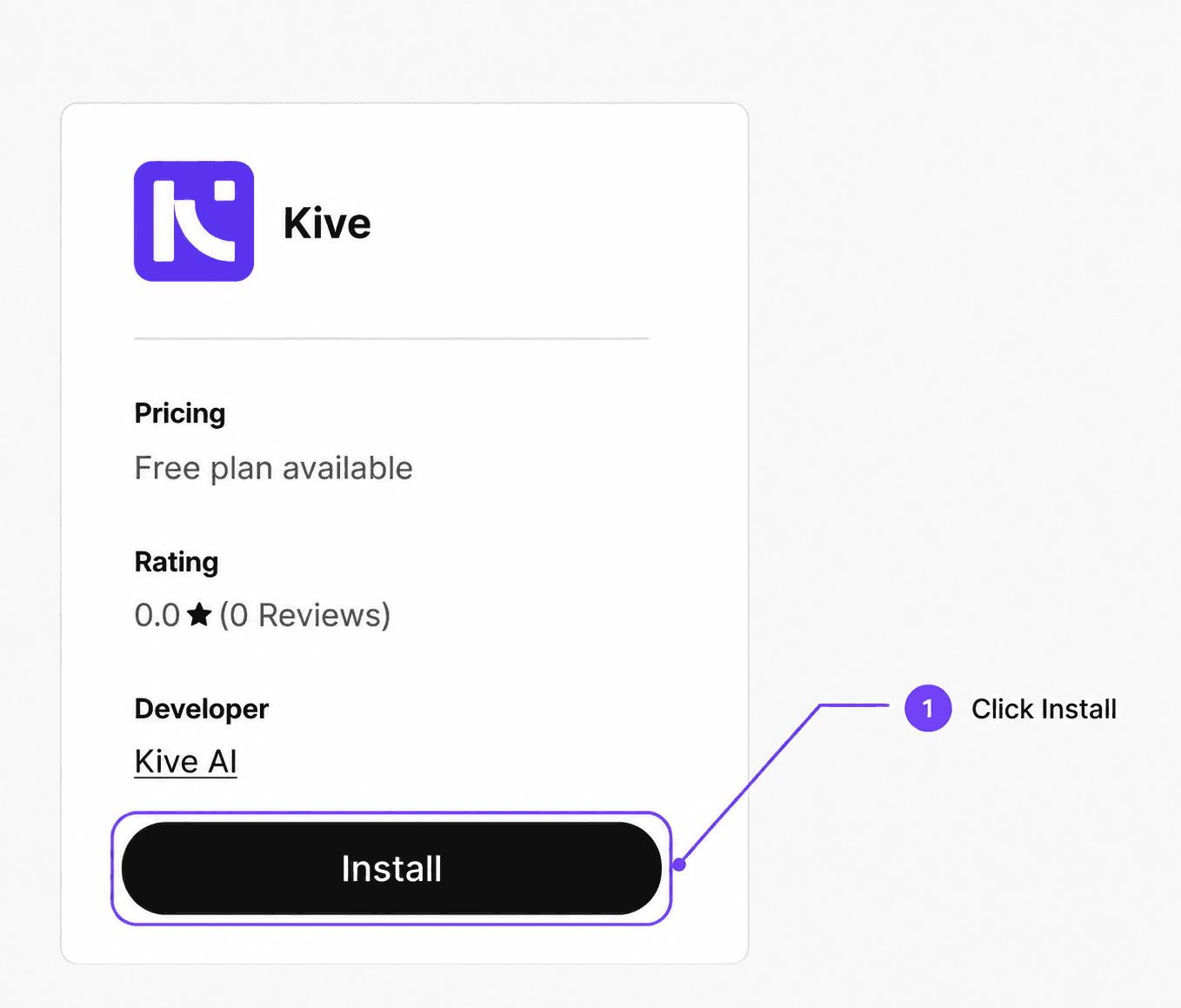
1. Install
Install Kive from the Shopify App Store and pick the Kive workspace your store belongs to.
2. Import
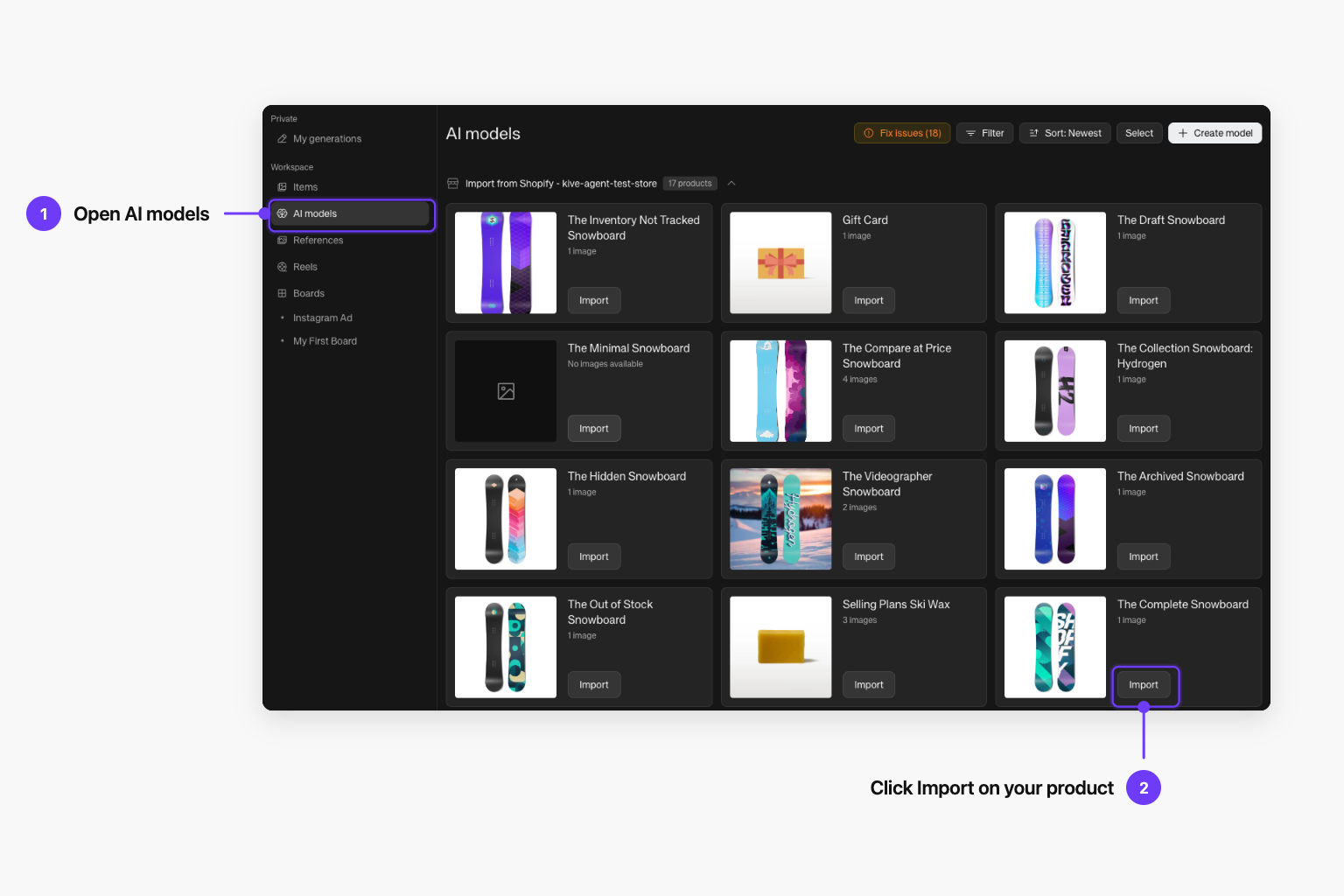
Import products from the Shopify section in Organize → Products, or ask Agent to pull them in.
3. Create
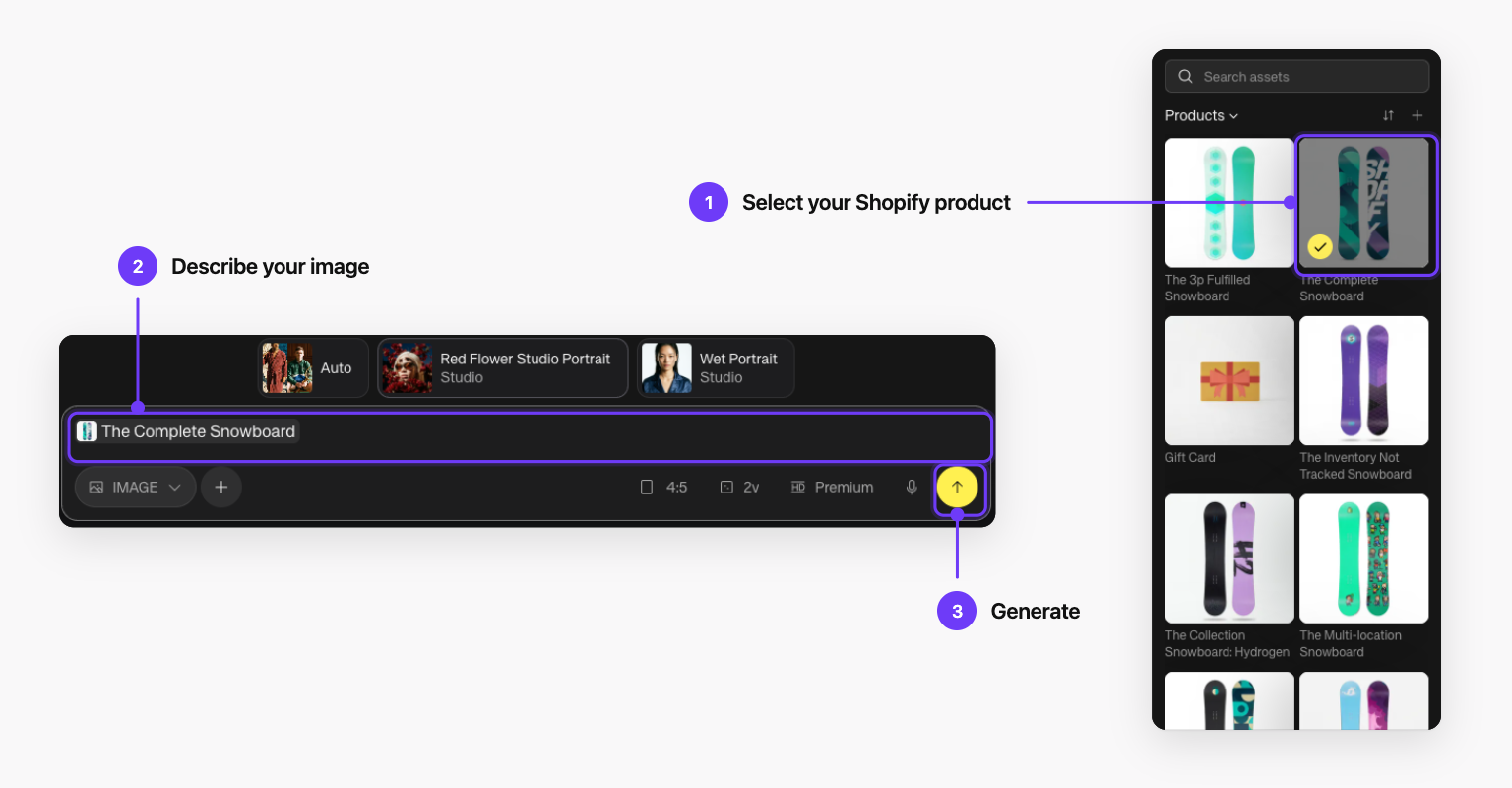
Generate studio shots, lifestyle scenes and missing angles with your presets, so every product looks like the same brand.
4. Publish
Push the results straight back onto the product in Shopify.
Create without leaving Shopify
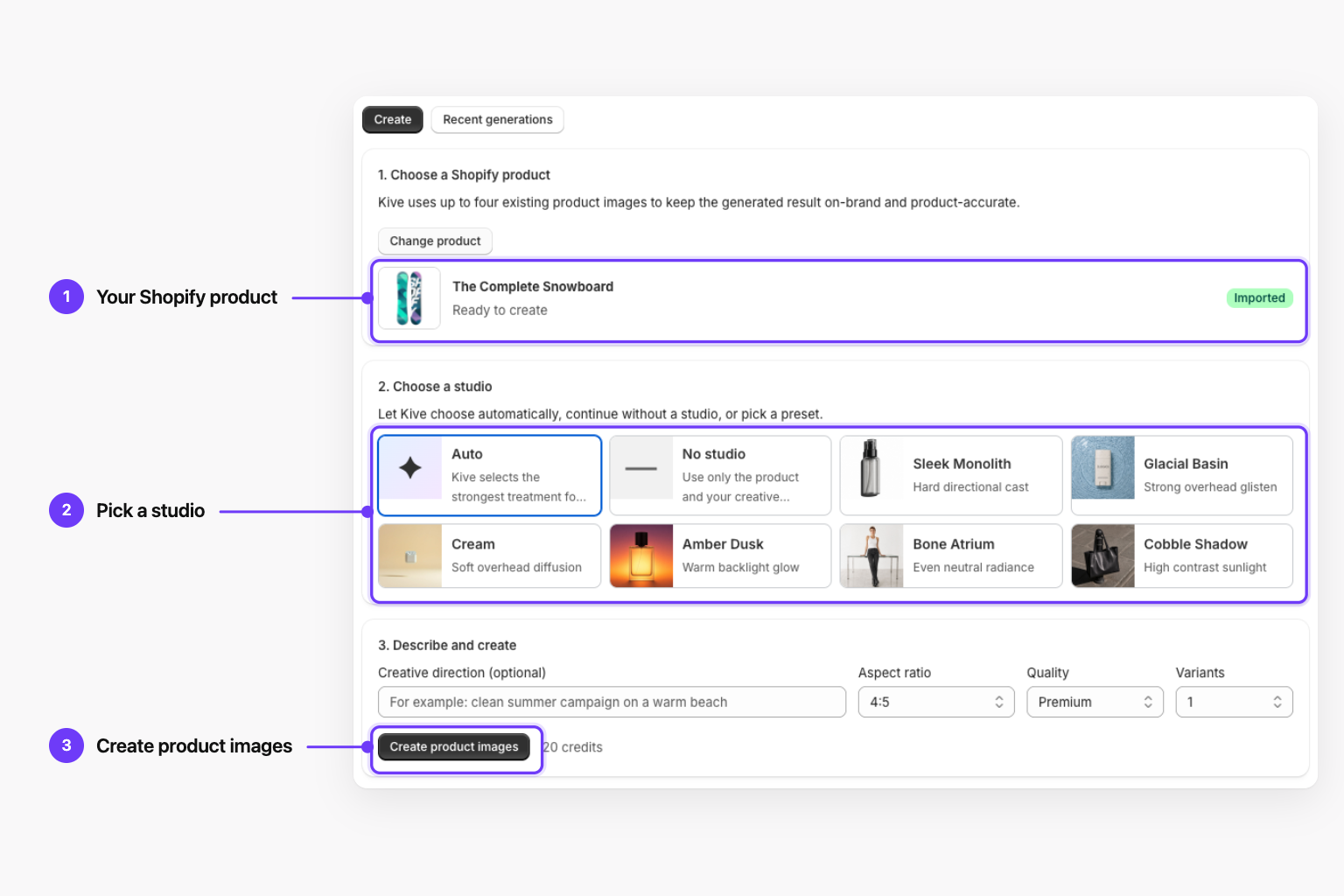
Every product in your Shopify admin gets a Create with Kive action. It opens the Kive creator with that product selected: pick a studio, set the aspect ratio and quality, and generate. Each result can be downloaded or added straight to the product’s images.
Open advanced tools in Kive takes you to the full Create page, with everything you made from Shopify already in your library.
The Kive creator, inside your Shopify admin
Shopify app vs Import from URL
Kive can also read products from any online store with Import from URL. If your store runs on Shopify, install the app instead: it reads the catalog through Shopify’s API, so store security settings never get in the way and results can go back to the product.
| Feature | Shopify app | Import from URL |
|---|---|---|
| Reads your catalog through | The Shopify API | Your storefront, like a visitor |
| Password or bot protection | Never blocks the import | Can block it: "No products found" |
| Product titles and images | Exactly as set in Shopify | Whatever the page layout exposes |
| Add images back to the product | Yes, from Kive or the Shopify admin | No, download and upload by hand |
| Works with | Shopify stores | Any online store |
Common questions
Keep reading
Connect your Shopify store
Step-by-step setup: install the app, approve permissions, pick a workspace, import products and create from the Shopify admin.
AI product photography for Shopify
A setup guide for store owners: image specs, what to generate first, and how to keep a catalog consistent.
Shopify product image size
Shopify's image specs in one table, plus product photos generated at 2048 × 2048.
Best AI tools for Shopify product images
Kive compared with Photoroom, remove.bg, Pebblely and Shopify Magic on realism, pricing and limits.
Kive vs Shopify Magic
What Shopify's free built-in editor covers, and where a growing catalog outgrows it.
Kive MCP for Claude
Run the same Shopify workflow from an AI assistant: pull products, generate in your styles and push visuals back to the store.
Ready to give your store a consistent look?
Free to install from the Shopify App Store. Start with 200 free credits.
Install on Shopify